



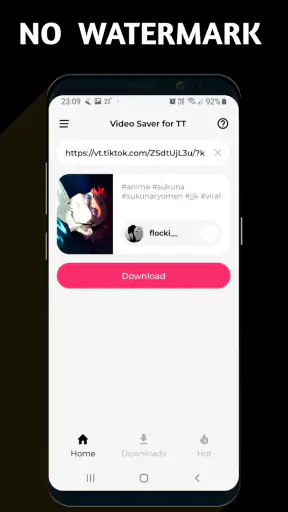



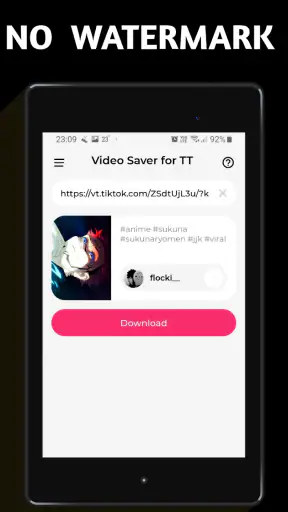


I tested Video Downloader TSaver as a practical video utility rather than treating it like a full editing suite. Its purpose is straightforward: help save videos without a watermark and turn a video into a live wallpaper. That narrow focus is important, because the app makes more sense for occasional personal tasks than for someone looking for a complete media-management system.
In my experience, the most useful way to judge it is by the small moments when a phone is shared around a home. Someone finds a clip they want available offline, another person wants a moving background, or a family member needs a simple way to keep a video nearby instead of searching for it again. TSaver can fit those situations well, but it also requires sensible boundaries. A downloader is only as responsible as the person using it, especially when several people use the same device.
How TSaver fits into everyday shared-device use
The app comes from Dark Blue Apps and sits in the video players and editors category. It is free, rated for Everyone, and available for devices running Android 6.0 or later. That combination makes it easy to consider for an older spare phone or a household device, where a demanding editor would be unnecessary.
A realistic example would be a shared tablet in the living room. One person uses it to save a permitted video for a trip, while someone else later chooses a short clip to use as a live wallpaper. TSaver’s value in that setting is its directness: it is aimed at getting from a video to a usable result without adding a watermark to the downloaded file.
That does not mean every video source will behave identically. A downloader can only work within the access and sharing rules of the source, and the person using it should have permission to save or reuse the material. I would not present it to children as a way to copy anything they see online. In a household, the better lesson is simple: save personal, public-domain, or otherwise permitted material, and respect the creator’s restrictions.
The app has attracted a 4.3 average from around 95 thousand ratings and has passed 5 million installs. Those figures suggest that the basic idea is useful to a substantial audience, but they do not turn it into a universal replacement for every video app. I still see it as a focused tool whose success depends on the source, the device, and the user’s expectations.
What I would use it for
I would use TSaver when I wanted a quick local copy of an allowed video or when I wanted to repurpose a short clip as a moving phone background. The watermark-free result is particularly relevant if the saved file is going into a personal presentation, a private collection, or a device display where an added mark would be distracting.
I would not choose it as my main video library. A dedicated cloud service is usually better for synchronizing a collection between multiple devices, while a full editor is more suitable for trimming, arranging, captioning, or exporting a finished project. TSaver’s appeal is that it avoids turning a small task into a larger workflow.
One practical tip is to decide where saved videos should live before downloading several files. On a shared phone, an unclear collection can quickly become difficult to manage. I would create a simple habit of checking the gallery or video folder after each save, removing failed attempts, and keeping only clips that have a clear purpose. That matters more on a household device than it does on a personal phone.
Setup boundaries matter more than the first download
TSaver is on version 1.6, and its minimum operating-system requirement is Android 6.0. That makes compatibility fairly broad, but an older compatible phone may still have limited storage or slower performance. Before handing the device to another person, I would check available space and make sure the phone can display the saved videos comfortably.
The setup should also include a conversation about ownership. If several people share one device, everyone should know whether saved files are personal, available to the whole household, or intended only for a particular project. The app itself should not be treated as a substitute for separate accounts or private storage. A downloaded file placed in a common gallery may be visible to anyone who opens it.
This is one of the less obvious trade-offs of a simple downloader: convenience can reduce separation. On a personal phone, that may be harmless. On a shared tablet, it can create confusion when one person’s clips appear beside another person’s videos. I recommend agreeing on a naming habit or a dedicated folder if the device’s normal file tools allow it. That small bit of organization prevents repeated downloads and accidental deletion.
Another useful boundary concerns live wallpapers. A moving background can look attractive, but it may be less suitable for a device used by several people because it changes the visual identity of the home screen. If the tablet belongs to everyone, choose a clip that is easy to recognize and not visually distracting. If the wallpaper is meant for one person, it is better to confirm that the rest of the household is comfortable with the choice.
I would also test the final result immediately rather than assuming that a download completed correctly. Open the saved video, check whether it plays from beginning to end, and then preview the live wallpaper before treating the task as finished. This two-step check is useful because a file can exist on the device while still being unsuitable for the intended display.
Keeping the workflow understandable
For a younger or less technical user, the best setup is a guided first use. I would demonstrate the complete path once: choose an allowed video, save it, find the file, and explain how to remove it later. Showing the cleanup step at the same time is important. It teaches that downloading is not a one-way action and helps prevent the device from filling with forgotten clips.
For an older relative, the same approach works, but I would emphasize the difference between a video saved for offline viewing and a video intended as a live wallpaper. They are related tasks, yet they serve different purposes. A saved file belongs in the video collection; a wallpaper changes the phone’s appearance. Explaining that distinction reduces accidental changes to the shared home screen.
TSaver is free, which removes a purchase decision from the setup. That is convenient for a family trying it on a spare device, but it does not remove the need to supervise storage and source choices. Free access is not the same as unlimited space, and the app should not encourage saving every interesting clip.
Coordination is the key to a pleasant household experience
When an app is used by one person, its workflow can remain informal. Shared use is different. I would establish a simple rule about who starts a download and who is responsible for checking the result. This is especially helpful when a child asks an adult to save something or when one person is using the device while another is waiting.
A useful household routine is to keep downloads for planned purposes: a permitted travel video, a personal reference clip, or a wallpaper selected by the device’s main user. That discourages random accumulation and makes it easier to understand why a file is present. If a saved video no longer serves a purpose, remove it instead of letting the collection grow indefinitely.
There is also a coordination issue around mobile data and timing. I would avoid starting a large download when someone else needs the device for a call, lesson, or presentation. Even without inventing specific limits for the app, any video-saving task can compete with ordinary phone use. A shared device benefits from a quick check-in before beginning.
For a household with several phones, TSaver may be useful for one-off personal tasks, but I would not expect it to coordinate a synchronized media library. If the family wants the same videos available everywhere, a shared cloud folder or a service designed for cross-device access is likely a better fit. TSaver is more comfortable when the file stays on the device where it was saved.
That distinction is easy to miss because the app’s basic action feels simple. Saving a clip locally is not the same as organizing a collection for multiple people. If you need searchable categories, automatic synchronization, or a central family library, choose a tool built around those needs. If you only need a direct way to save a permitted video and occasionally use it as a live background, TSaver is more appropriately sized.
Three practical habits I found worthwhile
Preview before setting a wallpaper: watch the clip first and confirm that its movement works as a background rather than merely looking good in a normal player.
Separate temporary and favorite videos: treat travel or reference downloads as temporary, while keeping only genuinely useful clips in the long-term collection.
Review shared storage together: periodically ask who still needs each file, since a forgotten download can take space and create confusion for the next user.
These habits are not glamorous, but they make a focused app feel much more reliable. The main friction with TSaver is rarely the idea of saving a video; it is what happens afterward. Finding files, deciding who owns them, and keeping the device tidy are the parts that determine whether the app remains helpful.
Age, trust, and responsible use
The Everyone content rating makes the app approachable for a broad audience, but an age label should not be mistaken for a complete household policy. A child may be able to operate a downloader while still needing guidance about copyright, privacy, and inappropriate sources. I would introduce TSaver as a tool for handling videos responsibly, not as permission to copy anything available online.
Trust works best when expectations are clear. On a shared device, I would tell younger users which kinds of videos are acceptable to save and ask them to show an adult a new source if they are unsure. I would also explain that a file saved locally may be visible to other people using the same phone or tablet. That is a more useful privacy lesson than simply saying that the app is safe or unsafe.
For teenagers, the conversation can include editing and reposting. A watermark-free file may look cleaner, but removing a watermark does not grant ownership or permission to publish the result elsewhere. If a clip is going into a social post, school project, or public video, the creator’s terms still matter. TSaver can change the file’s presentation; it does not change its origin.
Adults should pay attention to the same boundaries. It is easy to assume that a personal download is automatically harmless, but shared devices can expose private viewing habits or sensitive clips to other household members. I would avoid saving confidential material to a device that guests or children regularly use, even if the app itself is convenient.
The trust question also affects live wallpapers. A video selected by one person can be seen every time someone unlocks the phone. For a private device, that is a personal choice. For a family tablet, I would make it a shared decision. This is a small example of why household use is not simply individual use repeated several times.
Where another option is better
I would skip TSaver if my main goal were professional editing. The app is positioned around downloading and live wallpaper use, so someone who needs a timeline, audio mixing, captions, transitions, or precise export controls should look for a dedicated editor instead.
I would also choose a different solution for long-term family archiving. A cloud-based photo or video service is generally more suitable when several people need the same collection, when files must move between devices, or when organization is more important than a quick local save.
On the other hand, I would consider TSaver a sensible choice for a person who wants a focused utility without paying for a larger editing package. Its free price makes experimentation easy, and the broad Android compatibility means it can be considered for an older household phone. The trade-off is that the user must provide the organization, permission checks, and cleanup discipline.
That balance is the honest way to view it. TSaver is not trying to be a complete media ecosystem, and I would not judge it negatively for lacking tools that belong elsewhere. I would judge it by whether it handles its two central jobs conveniently: saving an allowed video without an added watermark and applying a video as a live wallpaper.
My household verdict after using the app
Video Downloader TSaver works best as a focused Android app for occasional video saving and personal visual customization. I like that its purpose is easy to understand, that it is free, and that it can suit a shared or older device without demanding a full editing workflow. The watermark-free result is useful when a clean personal copy matters, while the live-wallpaper option gives saved clips a second practical use.
My recommendation comes with boundaries. I would use it on a personal phone or a carefully organized family tablet, but I would not rely on it as a private vault, a synchronized household library, or a professional editor. I would also make permission and privacy part of the setup, particularly when children or guests use the same device.
The app was released on June 10, 2022, and its current version is 1.6. Those details place it in a mature enough context for ordinary trial use, while the broad Android requirement keeps it relevant to more than just new phones. Still, the most important question is not how many features it has. It is whether its limited feature set matches the job you actually need done.
If you want a straightforward way to save permitted videos and occasionally turn one into a moving background, I think TSaver is worth trying. If you need account separation, advanced editing, automatic backup, or a polished family media system, I would choose a more specialized alternative. For the right household workflow, its simplicity is a strength, provided you add the organization and trust rules yourself.


